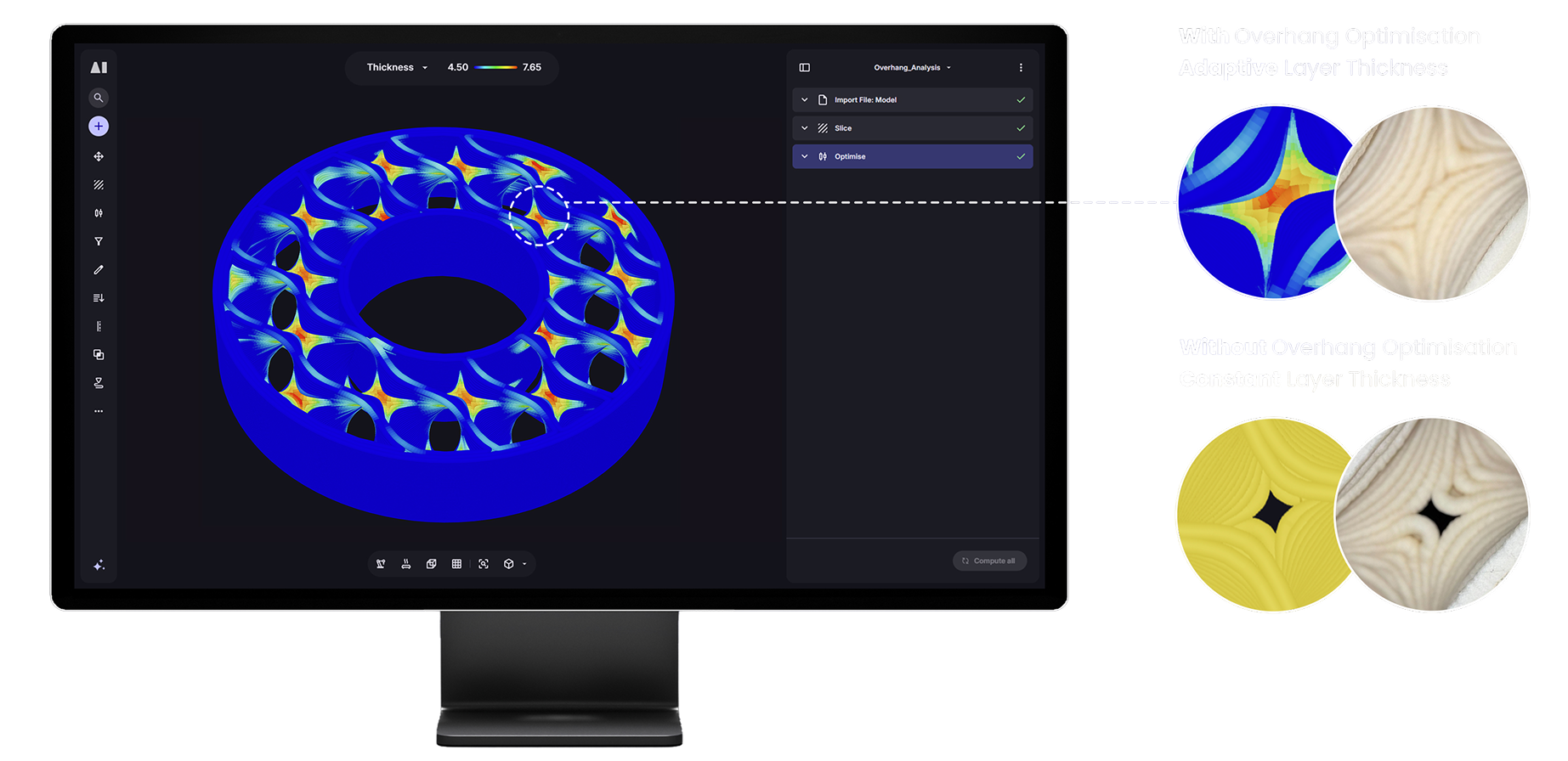
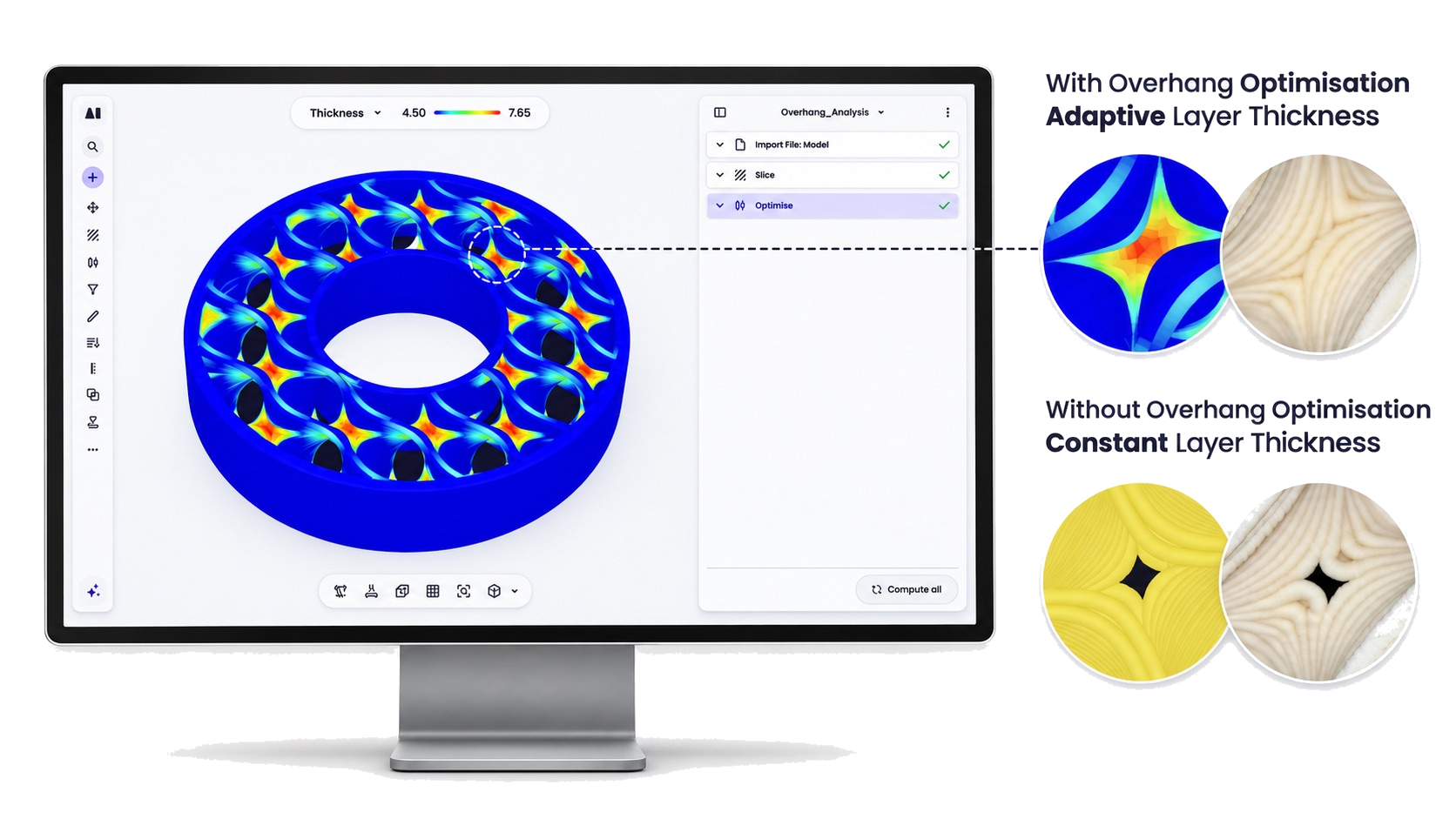
Overhang analysis
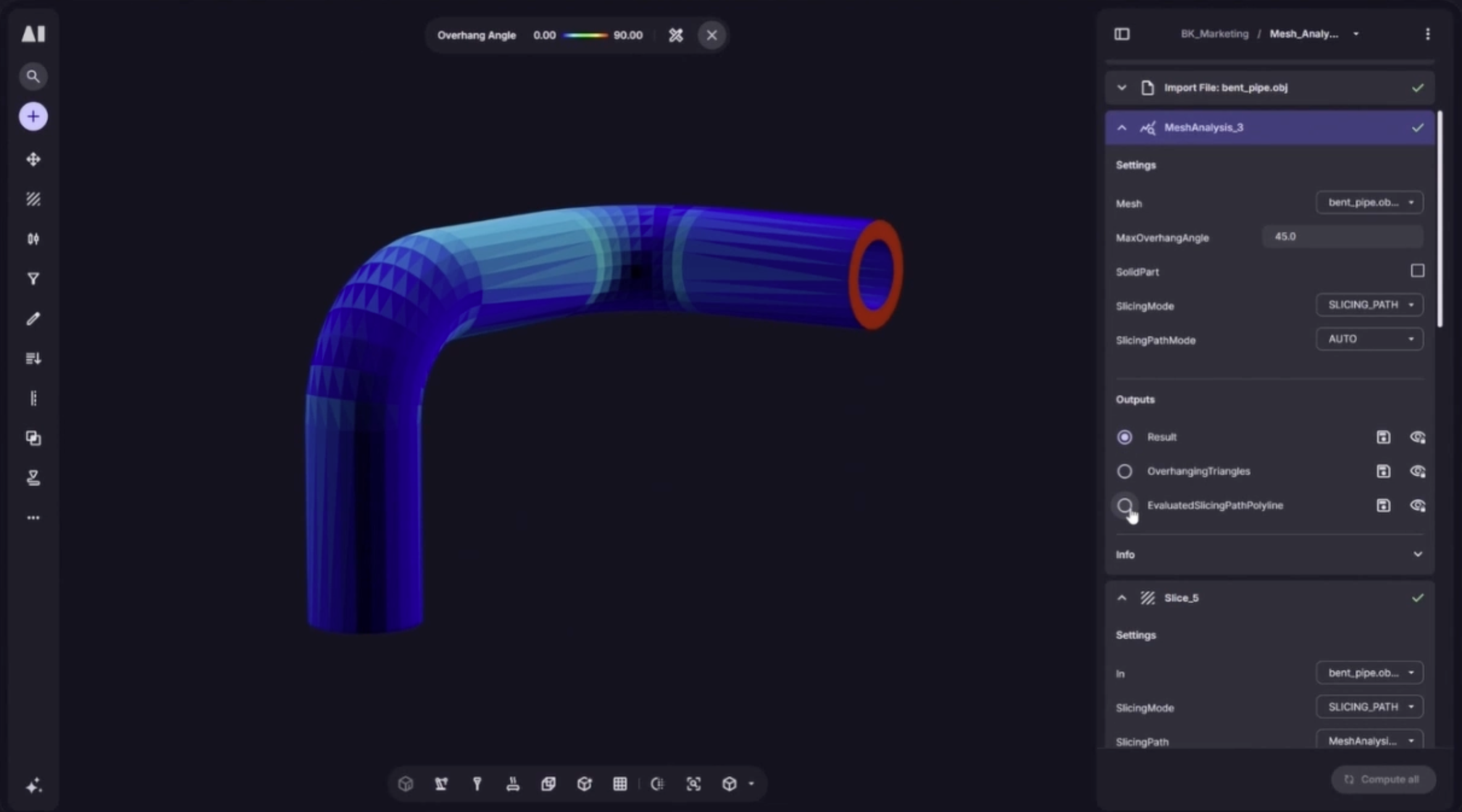
Identifies deposition angles in sliced paths at risk of failed deposition or poor surface quality.
Aibuild CAM analysis tools check a large format print at every stage, from mesh to toolpath to machine simulation and thermal analysis. In large format AM a failed build means wasted material, lost machine time and delayed programmes, so these tools help AM engineers catch failures before committing either.
Most toolpath softwares check for problems at the end. By then, fixing them costs time, material, or both. Aibuild gives you a complete analysis pipeline: before slicing, after slicing, at the toolpath and in simulation, so problems are caught where they’re cheapest to fix: before you’ve committed to hardware.
Analyse and improve before the final toolpath.
Identifies deposition angles in sliced paths at risk of failed deposition or poor surface quality.
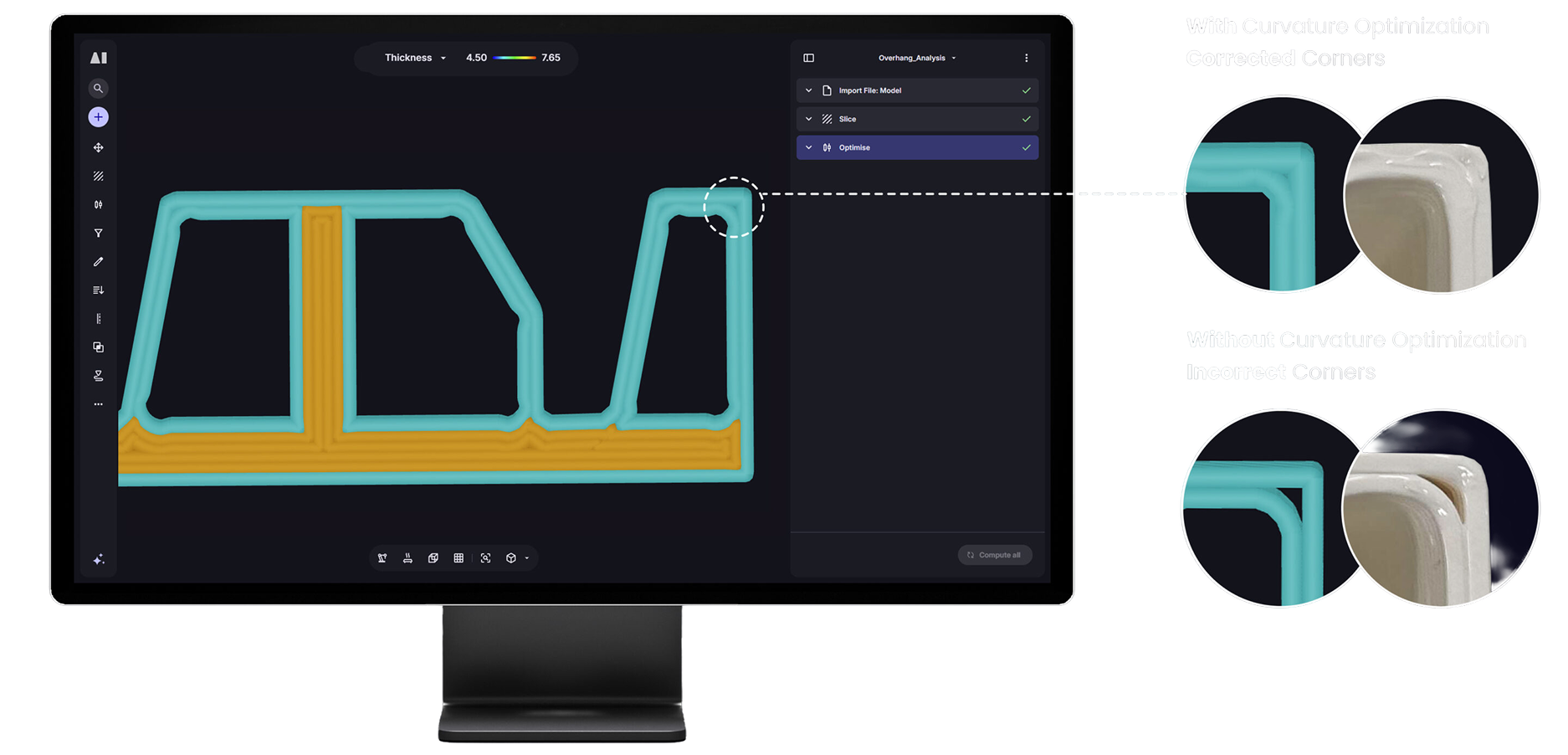
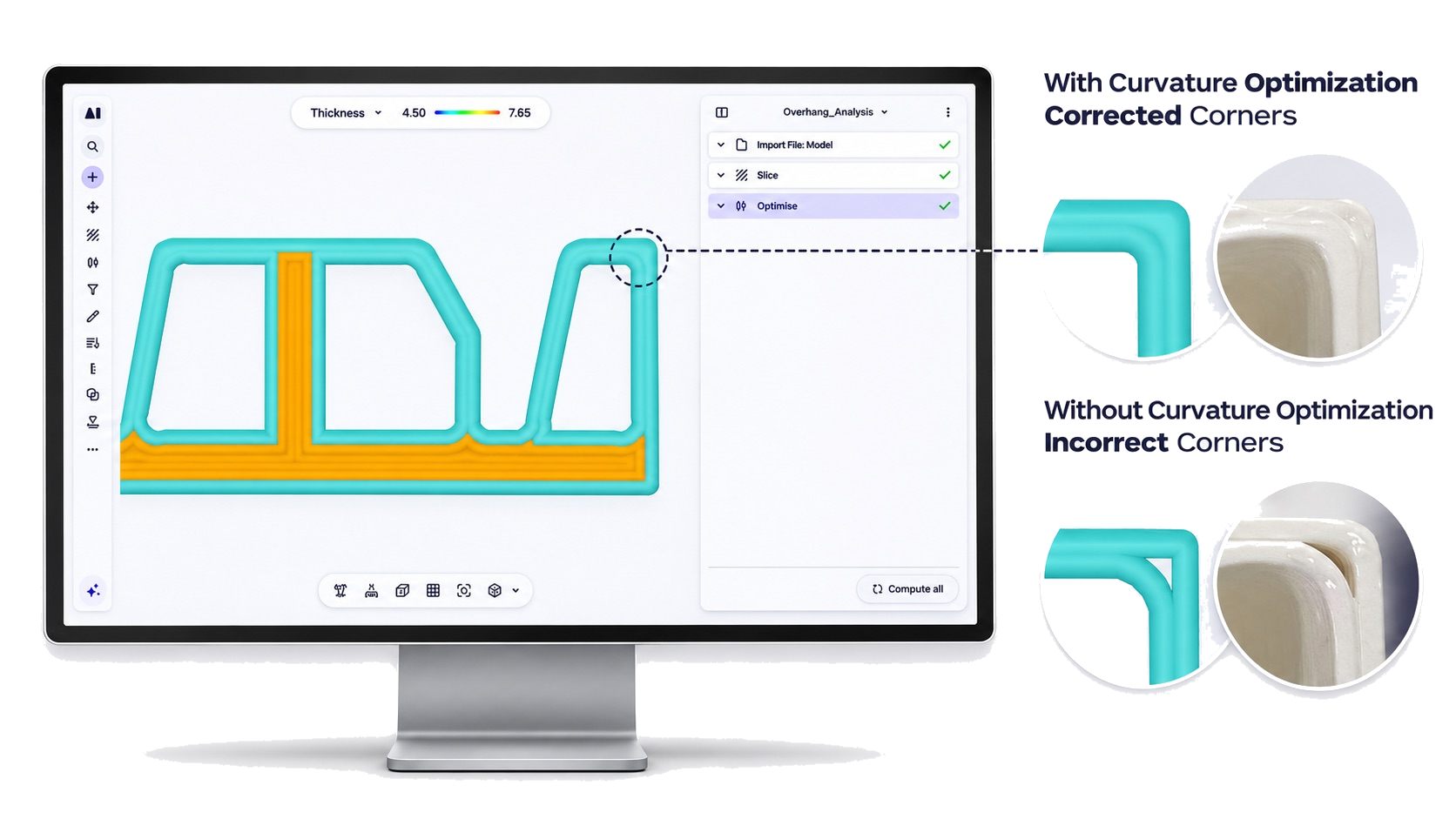
Evaluates path curvature to flag areas where tight curves may affect print quality or machine motion.
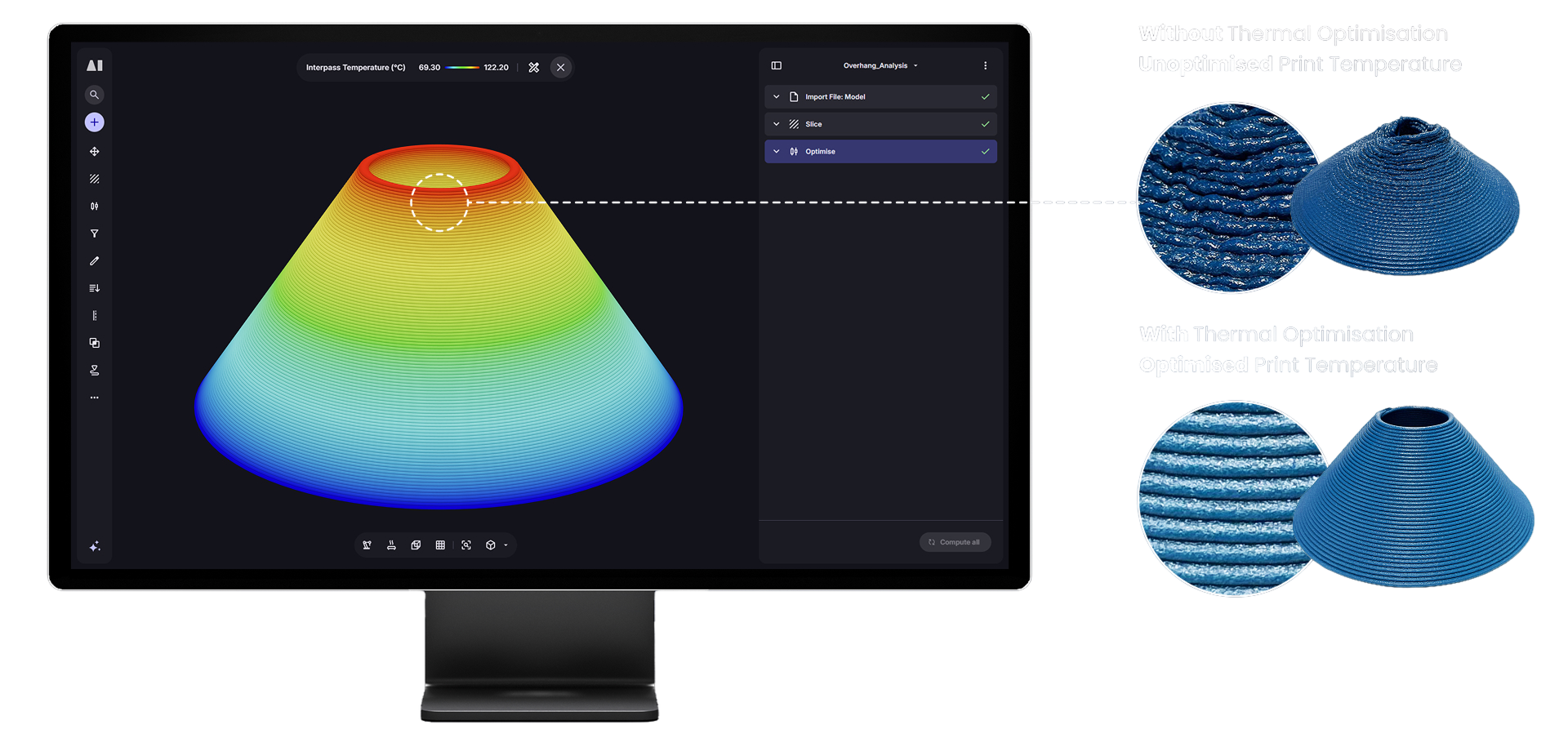
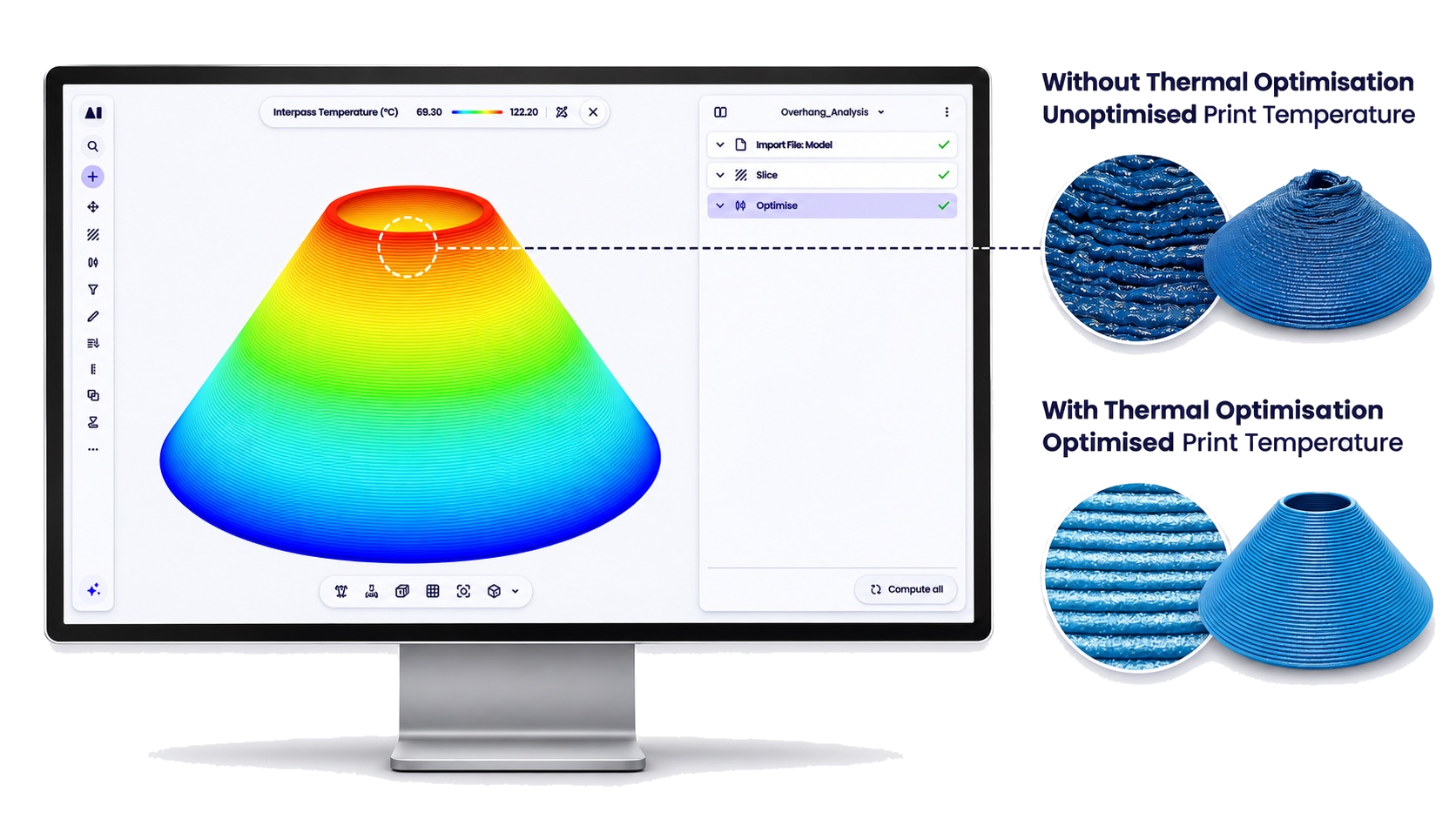
Predicts interpass temperature layer by layer so print temperature can be optimised before you print.
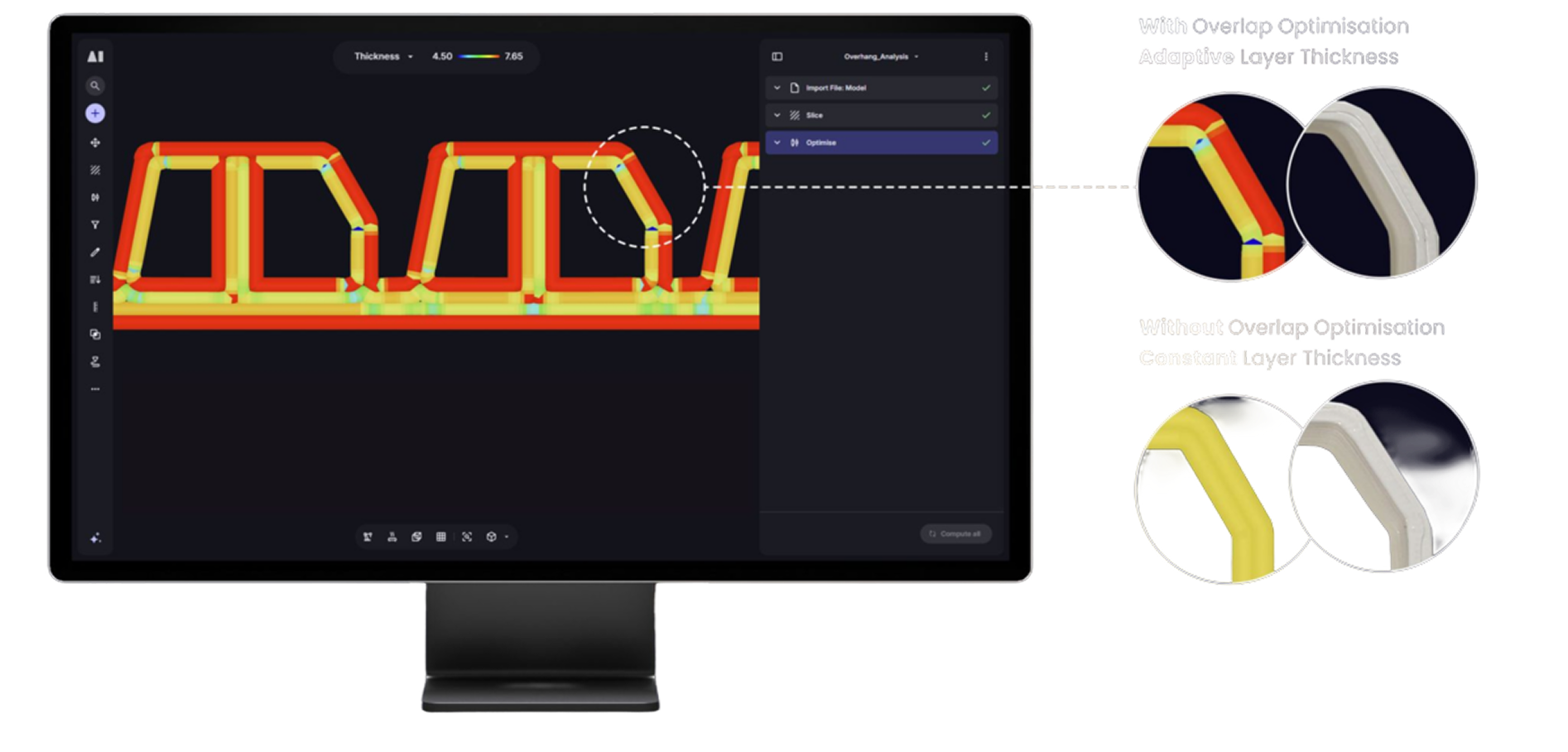
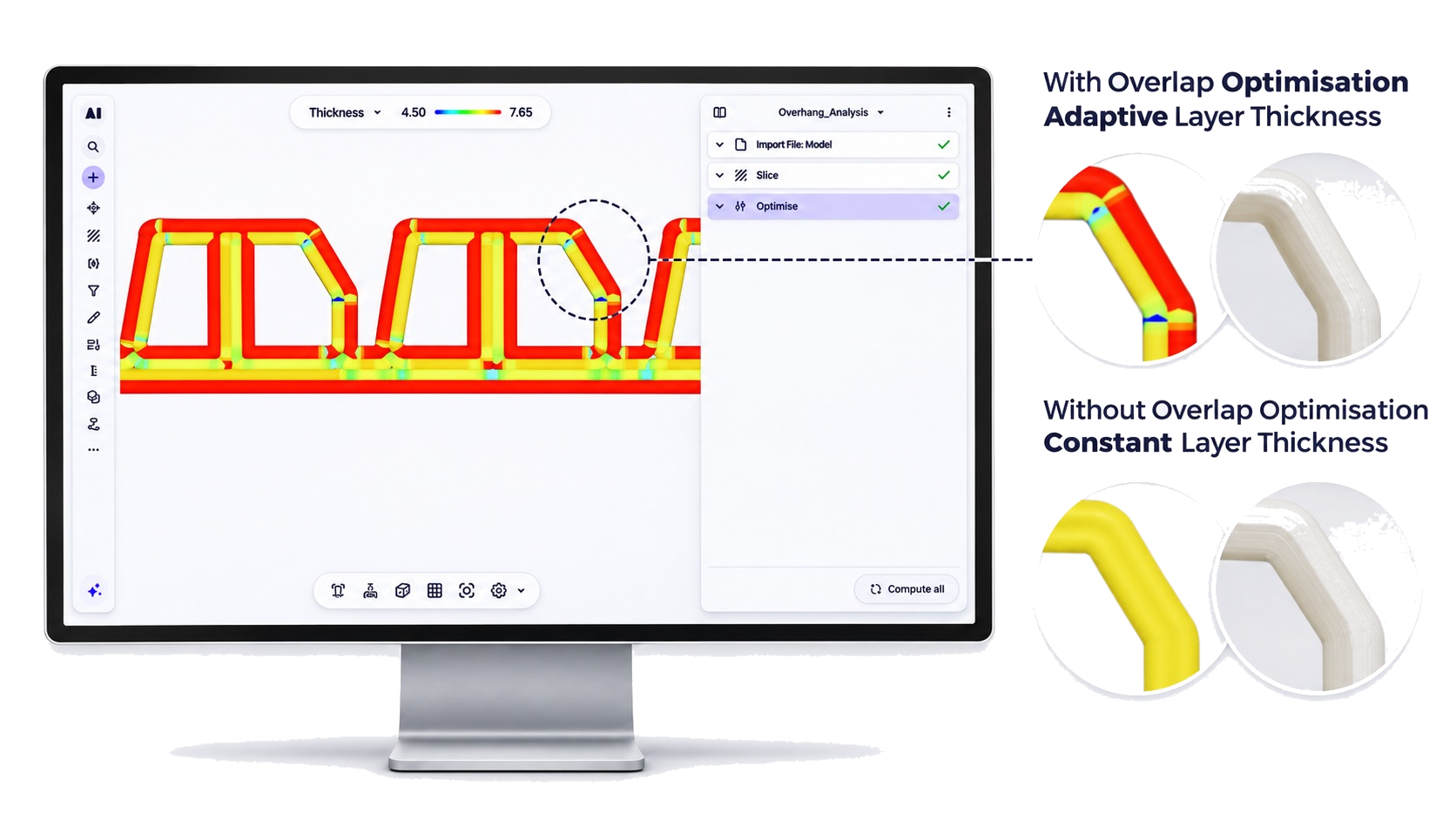
Checks bead overlap between adjacent passes to identify regions where over- or under-overlap will affect surface finish and structural integrity.
Run practical checks and see exactly where issues occur. You get colour-coded overlays on the part itself, not just a pass/fail summary.
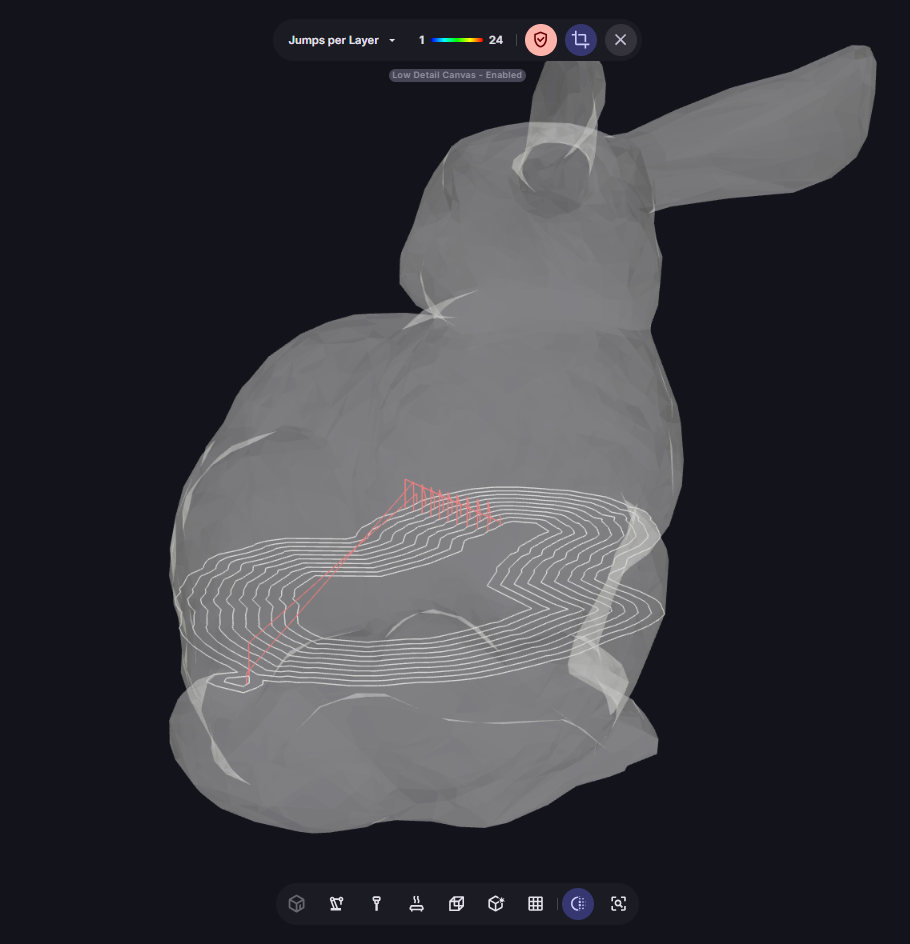
Breaks in deposition causing cold joints, measured as jumps per layer
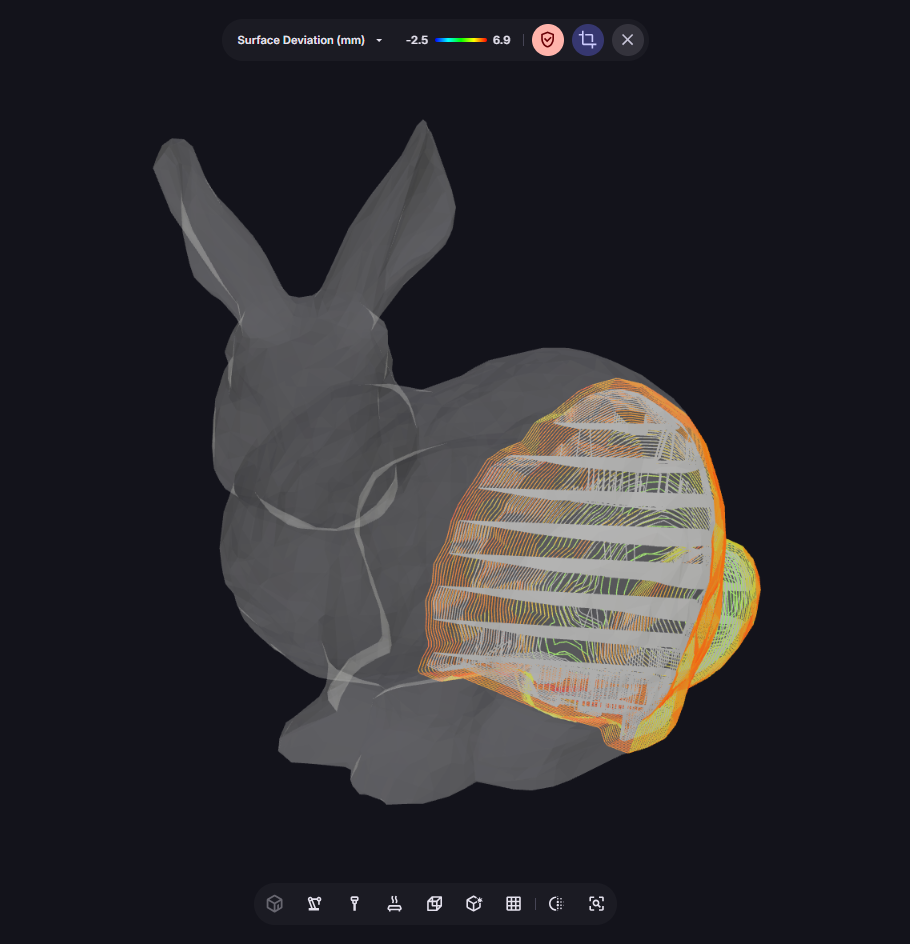
Dimensional deviation from your target mesh
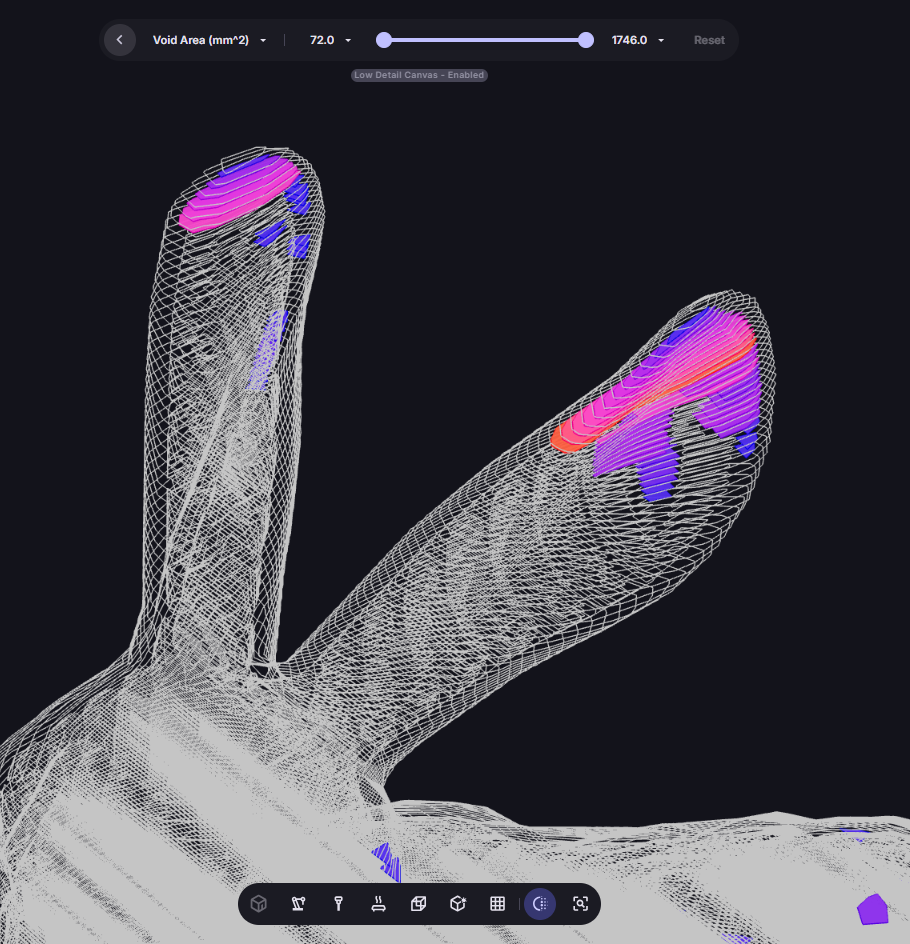
Regions at risk of voids or incomplete material fusion
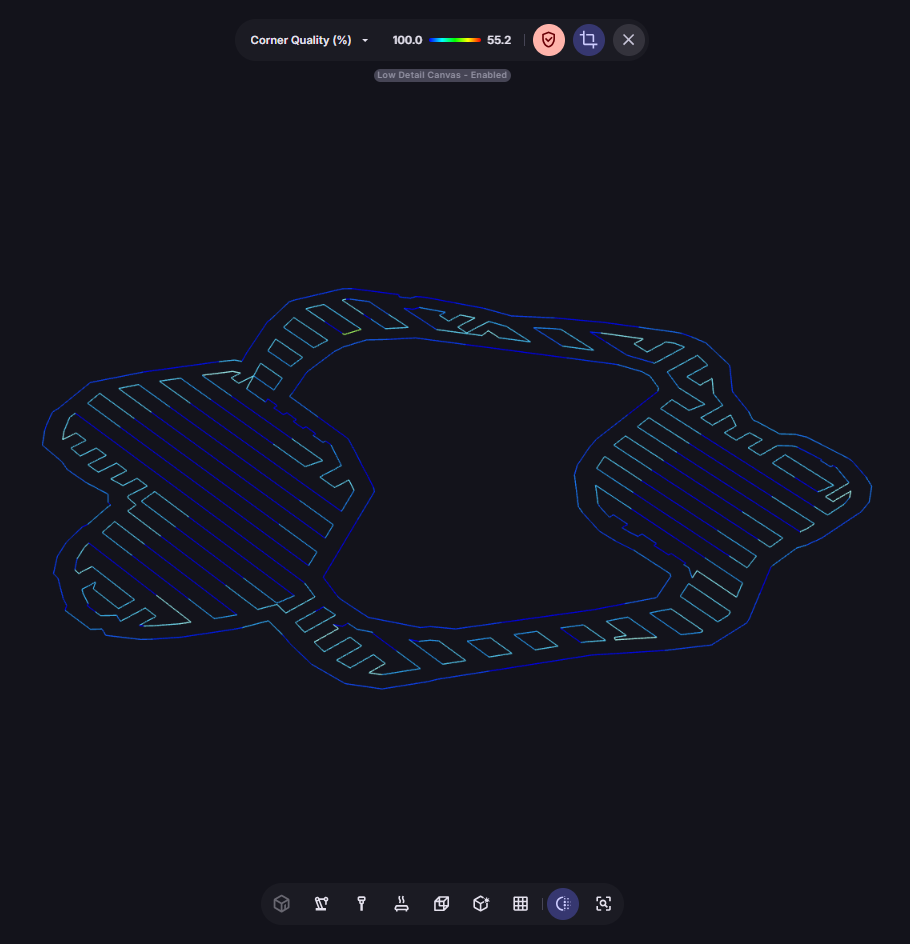
Sharp turns at high speeds causing ringing or flow disruption
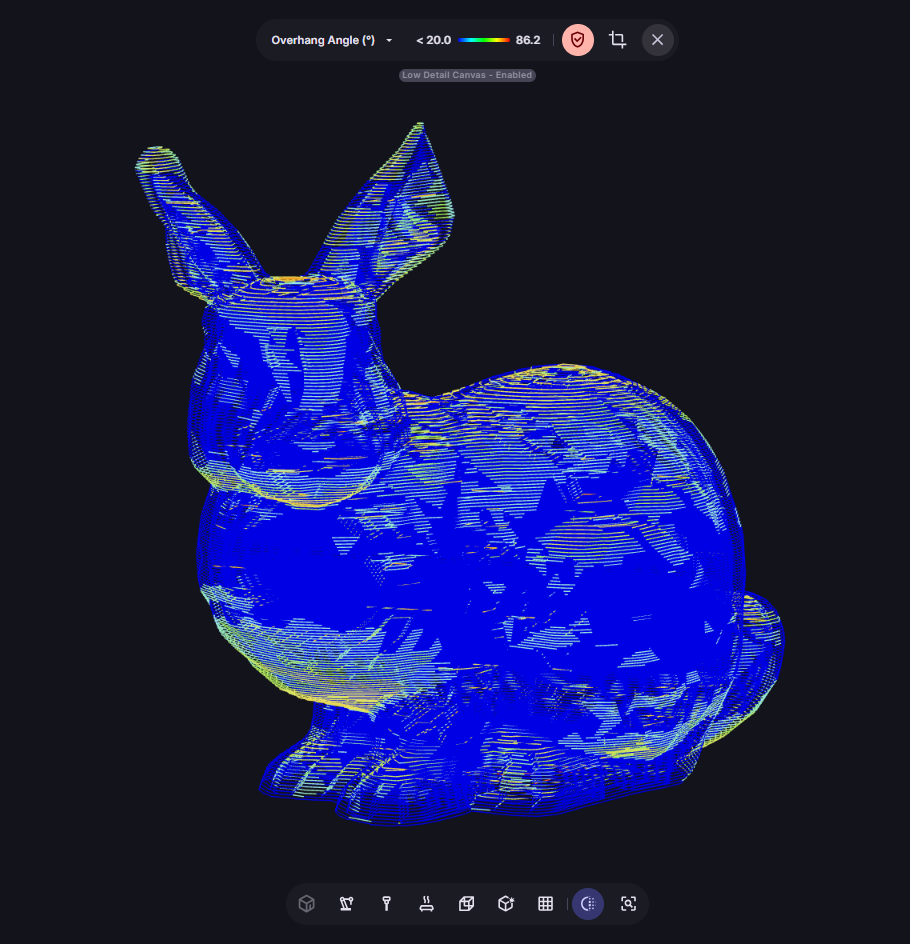
Deposition angles at risk of failure or poor surface quality
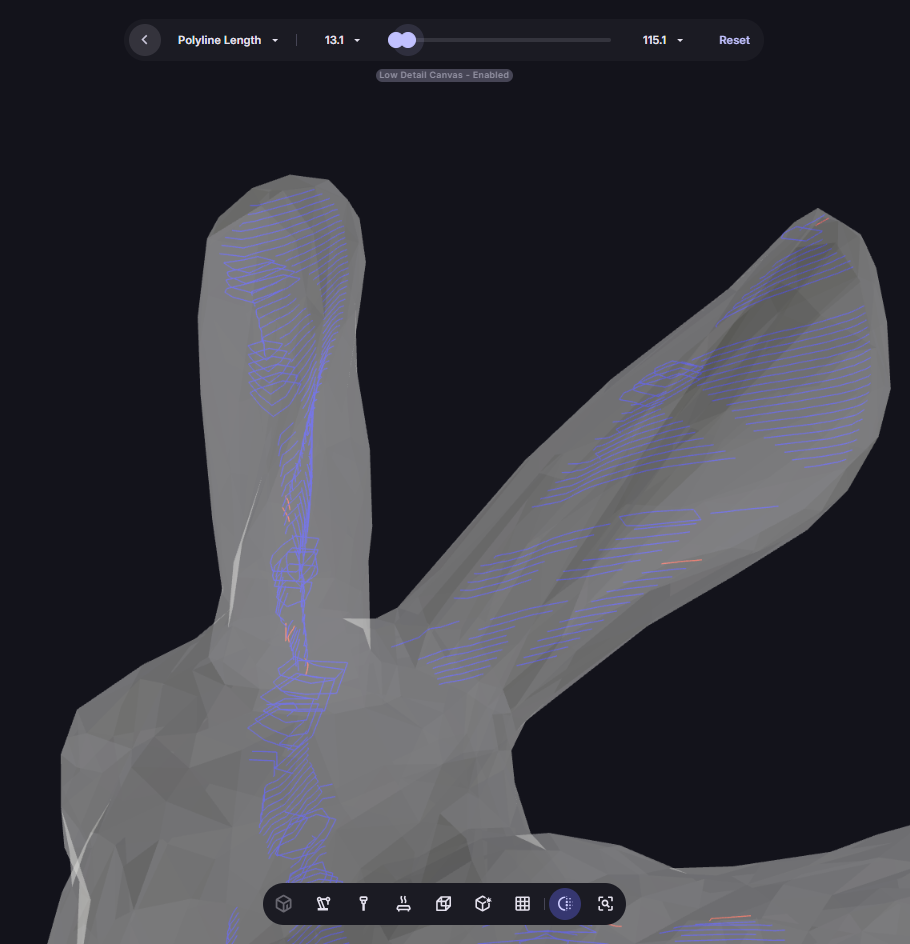
Tiny segments causing stop–start behaviour
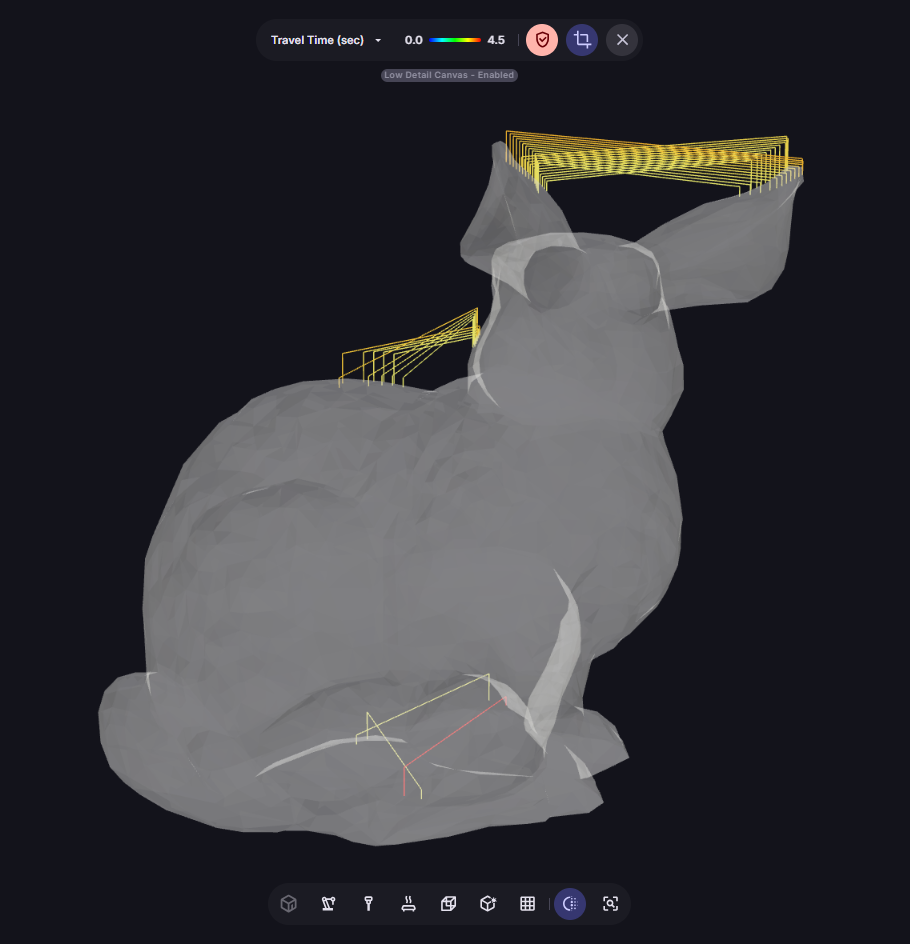
Unnecessary cycle time from inefficient machine motion
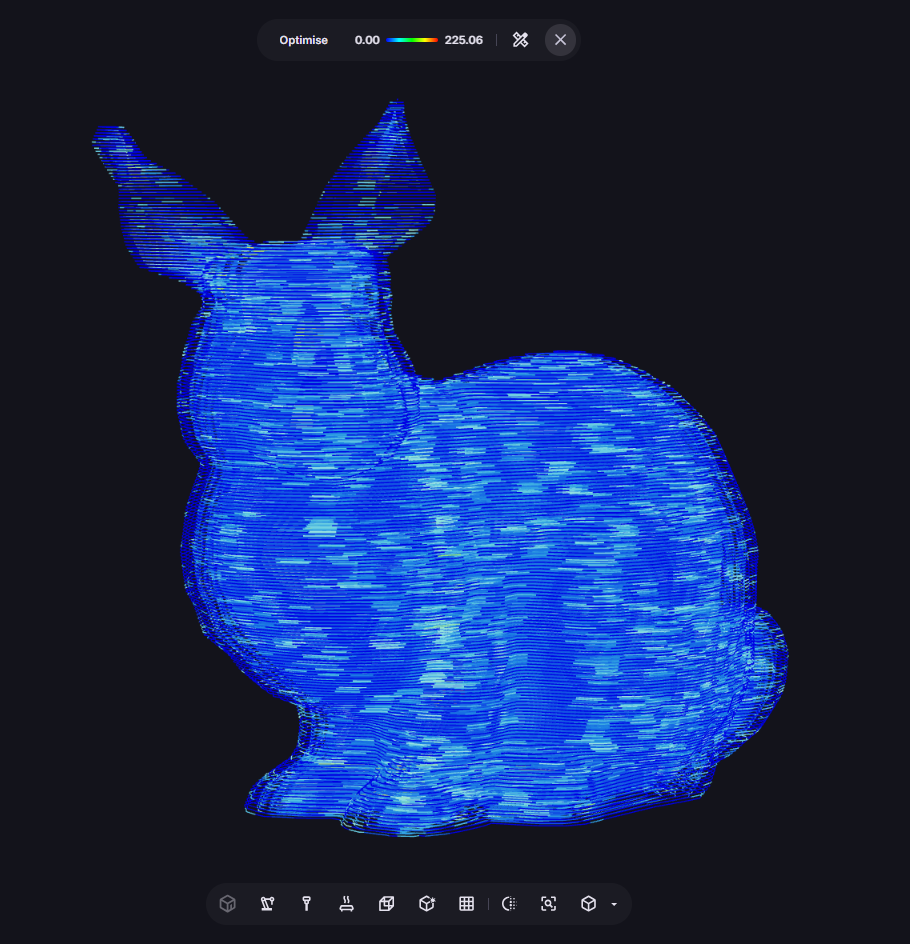
Bead overlap issues in the computed toolpath
Assess CAD printability
Before you start slicing, use the Mesh Analysis tool to compare which path strategy works best for your input CAD. Spot high-risk regions early, choose the right build orientation, and select the slicing strategy most likely to succeed.
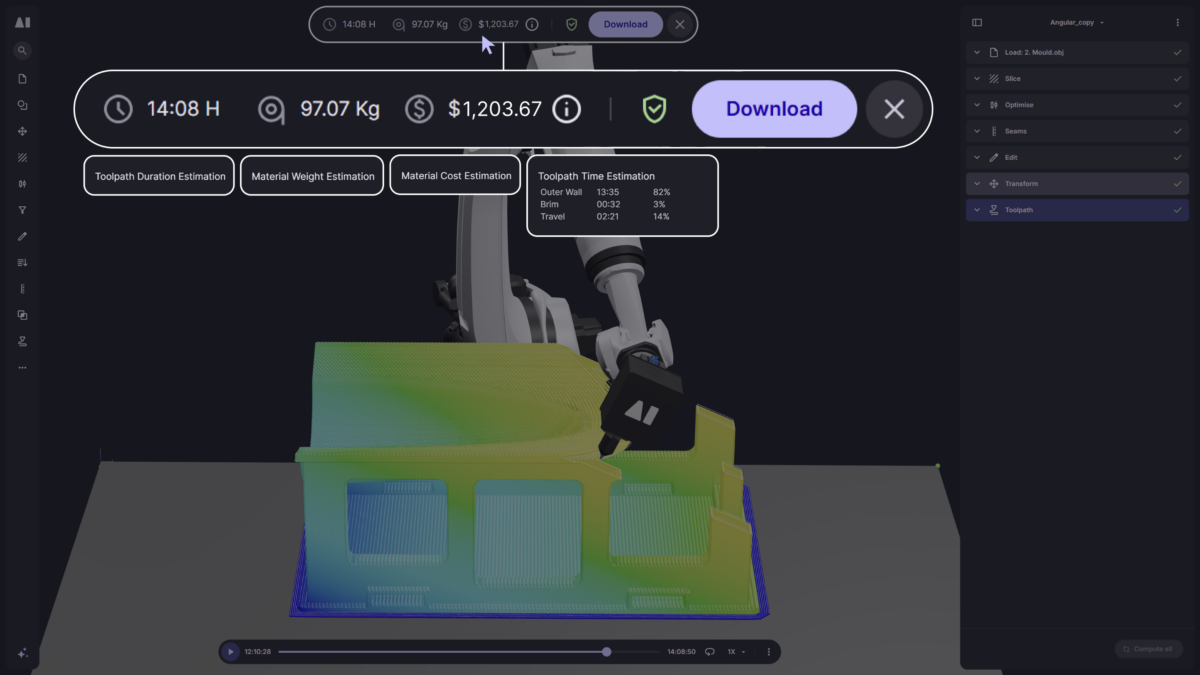
Aibuild predicts part weight, material cost, and total print time directly from your toolpath, so you’re not guessing at production economics before you start the machine.
Use these predictions in your optimisation loop: compare how different infill strategies affect weight, porosity risk, print time, and overall build quality, and choose the configuration that meets your engineering and production requirements before committing to a print.
Simulate your toolpath on your actual machine model. Offending objects highlighted red, events marked on the toolpath simulation timeline, with a summary table on the right.
Flags toolpath segments that fall outside your robot’s reach envelope, highlighted in red. Identify and eliminate unreachable paths before export.
Identifies joint configurations that cause unpredictable or uncontrollable motion near singularity positions. This is a critical safety check for 6-axis robotic systems.
Detects contact between any combination of robot, extruder, part, bed and other machine components throughout your build process. If a collision event is detected, the timeline will have an event added and the colliding bodies are highlighted in red.
Flags toolpath segments where joint angles would exceed your machine’s axis limits, preventing motion faults and mechanical stress before they happen.
Identifies regions of the toolpath that fall outside your defined workspace boundaries, ensuring the complete toolpath fits within your machine’s operational envelope.
Check heat, distortion and residual stress before you print, with simulation validated by NIAR.
High-accuracy thermomechanical simulation for metal AM. It predicts temperature evolution throughout the build, highlighting risk areas across complex parts before a single bead is deposited.
It checks the mesh before slicing, the sliced toolpath for overhangs, curvature and overlap, quality metrics such as continuity, porosity and surface tolerance, machine safety including reach, singularities, collisions and axis limits, and thermal behaviour between layers.
Yes. It simulates the toolpath on your machine model and highlights any contact between the robot, extruder, part, bed or other components, marking each event on the simulation timeline.
Analytical thermal simulation is a fast per-layer check built for thermoplastics that can adjust speed or wait times automatically. Aibuild FETS is full finite element simulation for metal AM, modelling conduction, convection and radiation for the highest-confidence result before an expensive build.
Yes. It predicts part weight, material cost and total print time directly from the toolpath, so you can compare infill and path strategies before starting the machine.
Show us a part and we’ll run it through the analysis pipeline.